

Regenerate Feeds without Losing Manual Edits

# Live
Launched October 8
October 14, 2026
Victoria Bryer
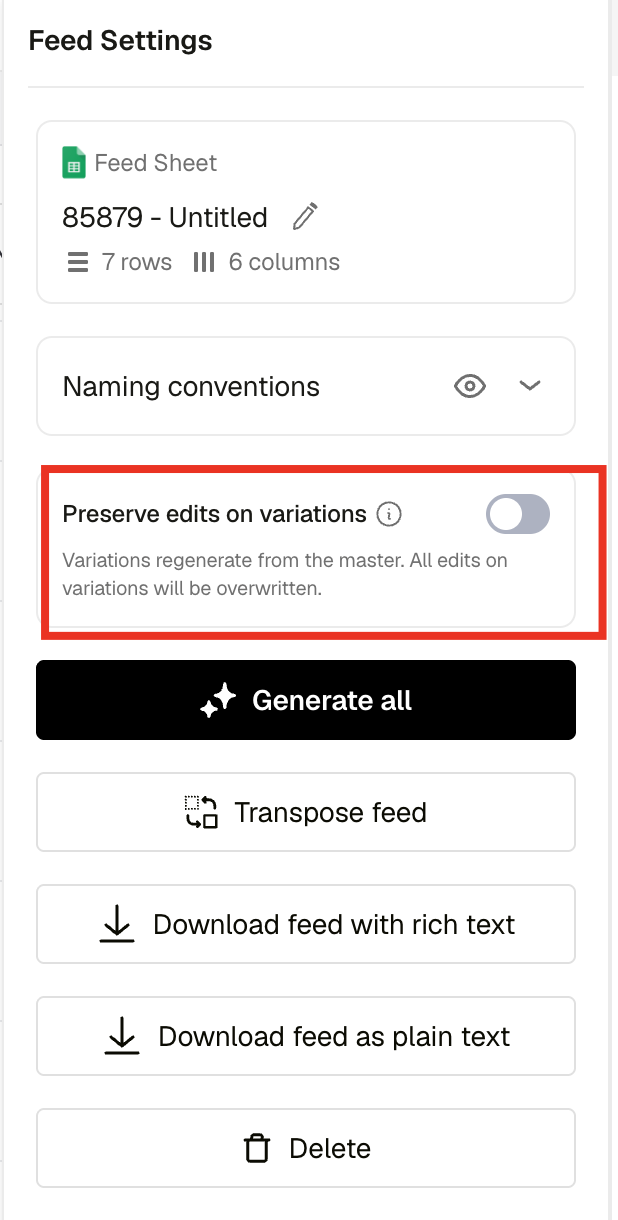
Until now, regenerating a feed always rebuilt every variation from the master, so any fix a designer made by hand on a variation was gone the moment someone corrected a value in the sheet. You now choose what a regeneration does.
Pick the regeneration mode when you regenerate
When you regenerate a feed, in the current editor or the new feed editor, you choose between:
- Rebuild from master: Today's behavior, pushes a master change to every variation. Still the default.
- Preserve edits: Starts from each variation's own content and writes only the mapped values over it. Repositioned product shots, resized copy, hidden elements, crops, video and audio trims and text styling all stay.
What Preserve edits keeps and changes
- Only values the sheet actually changed are updated. A cell you did not touch leaves that element exactly as the designer left it. For mapped values the sheet still wins.
- A format a designer added to a single variation survives.
- An element hidden because its cell was empty reappears once the cell has a value. Elements a designer hid stay hidden. Audio removed for an empty cell comes back.
- Deleting a layer in one variation no longer clears that column's mapping for the whole feed. Only deletions on the master do.
- Each variation remembers which master version it came from, so a variation that kept its edits does not look up to date with a master change it did not take.
Comments (0)
Popular

Dive in