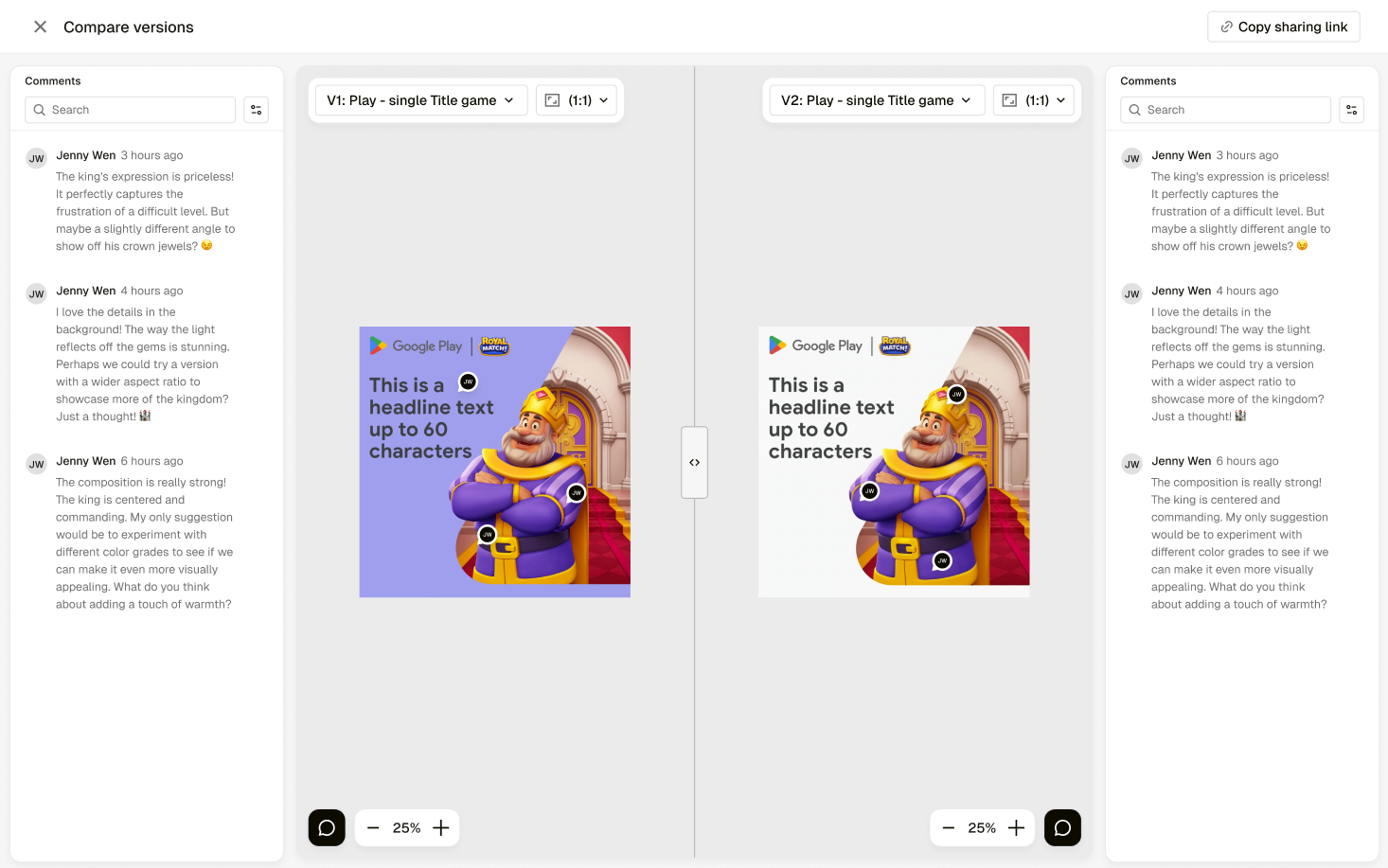
Preview is a new deliverable review and approval experience in Pencil that brings feedback, decision-making, and approval status into one clear flow.
Review is one of the most important points in the creative process, but it is often also one of the messiest. Work gets shared across different places, feedback is fragmented, approval status can be unclear, and teams spend too much time chasing decisions or trying to work out what needs to happen next.
Preview is designed to solve that by giving teams a dedicated place to review deliverables, leave feedback directly on the asset, notify the right reviewers, and move work cleanly through approval cycles.
It replaces the existing Preview capability in Pencil Pro and creates a more structured approval experience connected to Brief Mode and Canvas.
What’s new
Dedicated Preview experience – A new space in Pencil to review deliverables, leave feedback, and manage approval decisions in one connected workflow.
Reviewer assignment – Assign one or more reviewers to a deliverable before sending it for review, with the option to add more during.
Approval notifications – Sending a deliverable for review triggers the approval flow and notifies the assigned reviewers.
Comments and annotations – Leave comments directly on the creative and add annotations to highlight specific feedback.
Approval decisions in Preview – Reviewers can make a decision directly in Preview, including Approved or Changes required.
Amend-and-review loop – If changes are required, teams can update the deliverable and send it for review again.
Export-ready approved deliverables – Once approved, a deliverable becomes ready for export from Brief Mode.
Version comparison for review – Reviewers can compare versions within Preview to understand what has changed across review rounds.
Why it matters
Clearer review workflows – Keeps feedback, reviewer assignment, and approval status in one place.
Faster decision-making – Makes it easier for the right people to review the right deliverables at the right time.
Better amend cycles – Supports a clearer process when changes are requested and work needs to be reviewed again.
Stronger approval visibility – Helps teams quickly understand what is approved, what needs amends, and what is still awaiting review.
More confidence at handoff – Approved deliverables are clearly marked and ready to move forward, including export from Brief Mode.
What’s next
Approval versions – Separate review versions from internal editor save history for clearer approval tracking.
Enhanced annotation tools – Richer markup and more precise feedback options inside Preview.
Multi-stage approval workflows – Support sequential review steps across different stakeholders and teams.
Who it’s for
Creative teams
Production teams
Marketers
Brand teams
Legal and compliance teams
Agencies
What this unlocks
Preview gives Pencil a more structured and scalable review experience for deliverables, helping teams move from creation to feedback, approval, and export with less friction. It creates a clearer approval trail, improves collaboration, and lays the foundation for more advanced approval workflows over time.