

Multi-Instance for QC Agent Scores

# Live
Duplicate & Scale Score Configs
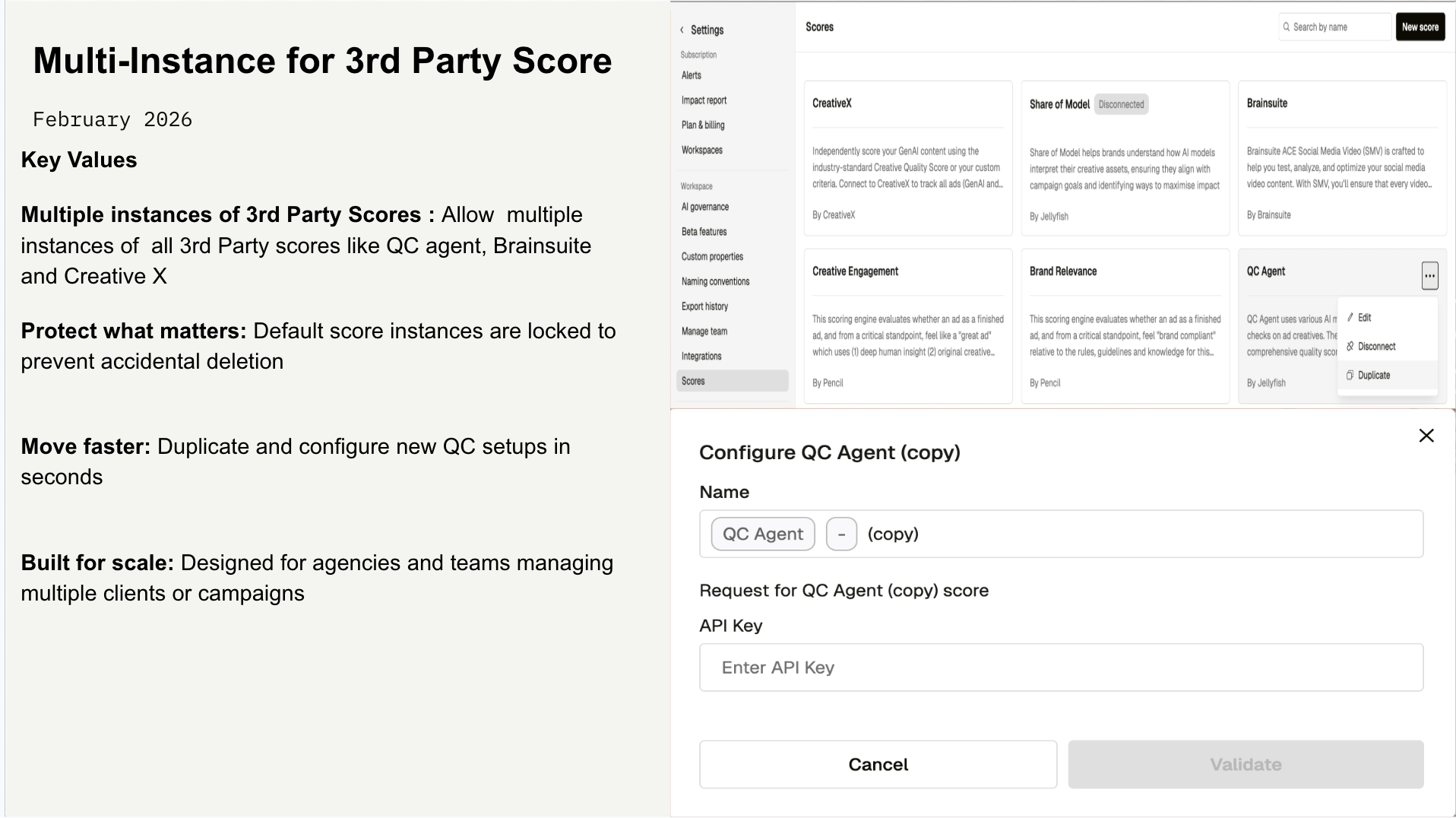
March 24, 2026Pencil now supports duplicating score integrations from Settings → Scores, starting with the QC Agent score. This update introduces a standardized 3-dots context menu on score cards and enables teams to safely create multiple configurations for the same 3rd party provider like QC agent, Brainsuite, Creative X.
The original 3rd Party score remains permanent and protected to prevent accidental deletion and preserve historical data. Additional (duplicated) instances can be configured independently and removed when no longer needed.
This release is scoped to support all 3rd-party scores like QC agent, Brainsuite, Creative X and Pencil’s Media Performance Score will be added in future iterations.
Who it’s for
- Workspace Admins managing multiple clients or brands
- Teams running campaigns that require separate QC configurations
- Workspaces using the QC Agent score
How it works
- All 3rd party score cards like QC agent, Brainsuite, Creative X etc now include a 3-dots menu
- Default instance: Edit and Duplicate only (Delete is disabled)
- Duplicated instances: Edit, Duplicate, and Delete
- Selecting Duplicate immediately creates a new instance and opens the configuration modal
- API keys are never copied and must be added manually for each duplicate
Key details and limitations
- The default 3rd party score cannot be deleted
- Duplicated instances may appear Disconnected until configured
- No changes were made to scoring logic or evaluation models
What’s next
Enable multi-instance management for Pencil’s Media Performance Score
Comments (0)
Popular

Dive in