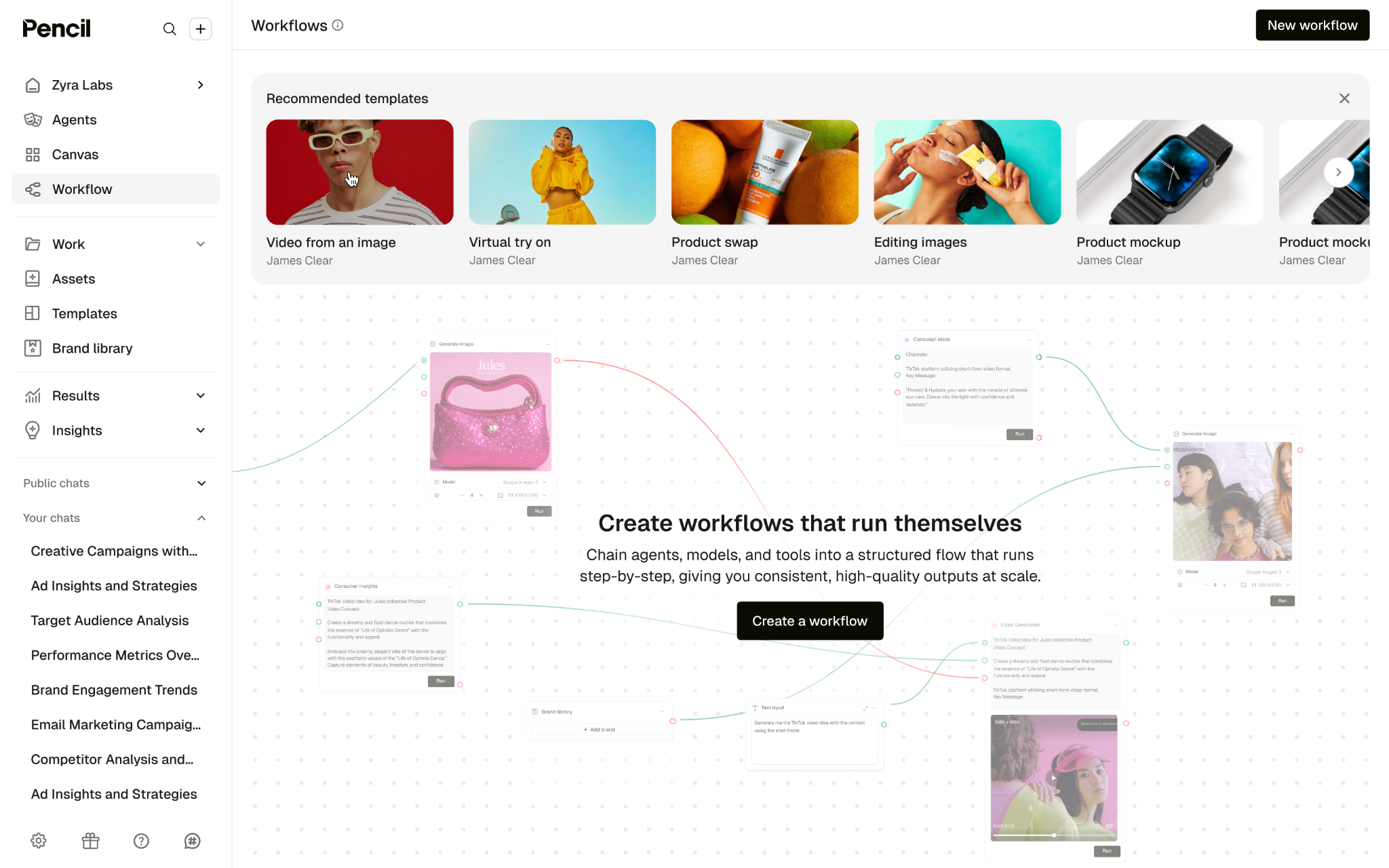
Workflows, opened up
This update is about one simple shift:
multi-step work shouldn’t feel manual.
Until now, anything complex in Pencil meant juggling agents one by one. Run a task. Copy the output. Paste it into the next step. Repeat.
It worked—but it didn’t scale, and it didn’t repeat cleanly.
That friction showed up fast.
So we gave structure to the chaos.
Workflows let you connect multiple agents into a clear, repeatable sequence—so you can go from idea to finished output without stitching everything together by hand.
One process. One flow. Run it again and again.
Build processes, not prompts
Most real creative work isn’t a single instruction.
It’s a chain.
With Workflows, you can design that chain once using a visual builder, then let Pencil handle the execution.
You can:
- Drag and connect agents into a defined order
- Configure prompts at each step
- Reuse the same workflow whenever you need consistent results
Think less “remember how I did this last time”, more “run the process”.
Explore more than one direction
Creative work rarely moves in a straight line—and now your workflows don’t have to either.
With branching paths, you can explore variations or parallel directions in the same workflow. One input, multiple creative outcomes, all organised in one place.
This is where Workflows stop being automation—and start supporting creative exploration.
What this changes in practice
Once your process is captured, everything gets lighter.
You’ll feel it when:
- Complex tasks run the same way every time
- Output stays consistent across campaigns and markets
- Teams spend less time coordinating and more time deciding
Workflows take care of the mechanics, so you can focus on the creative judgement.
See it in action (and talk it through)
If you want to see how this works in the wild—or pressure-test it with the people closest to the product—we’ve got you covered:
Pencil in Practice: real workflows using new features with our Tim Bowers (Head of Training)
→ Join the next Pencil in Practice: [Sign up · Next session: 12/02/2026] The best way to get it? Build one.
Workflows aren’t meant to be admired.
They’re meant to be run.
Map a process you repeat every week.
Connect the steps.
Hit run—and see how much lighter it feels when Pencil handles the busywork.
And if you want help along the way, the community’s already experimenting.