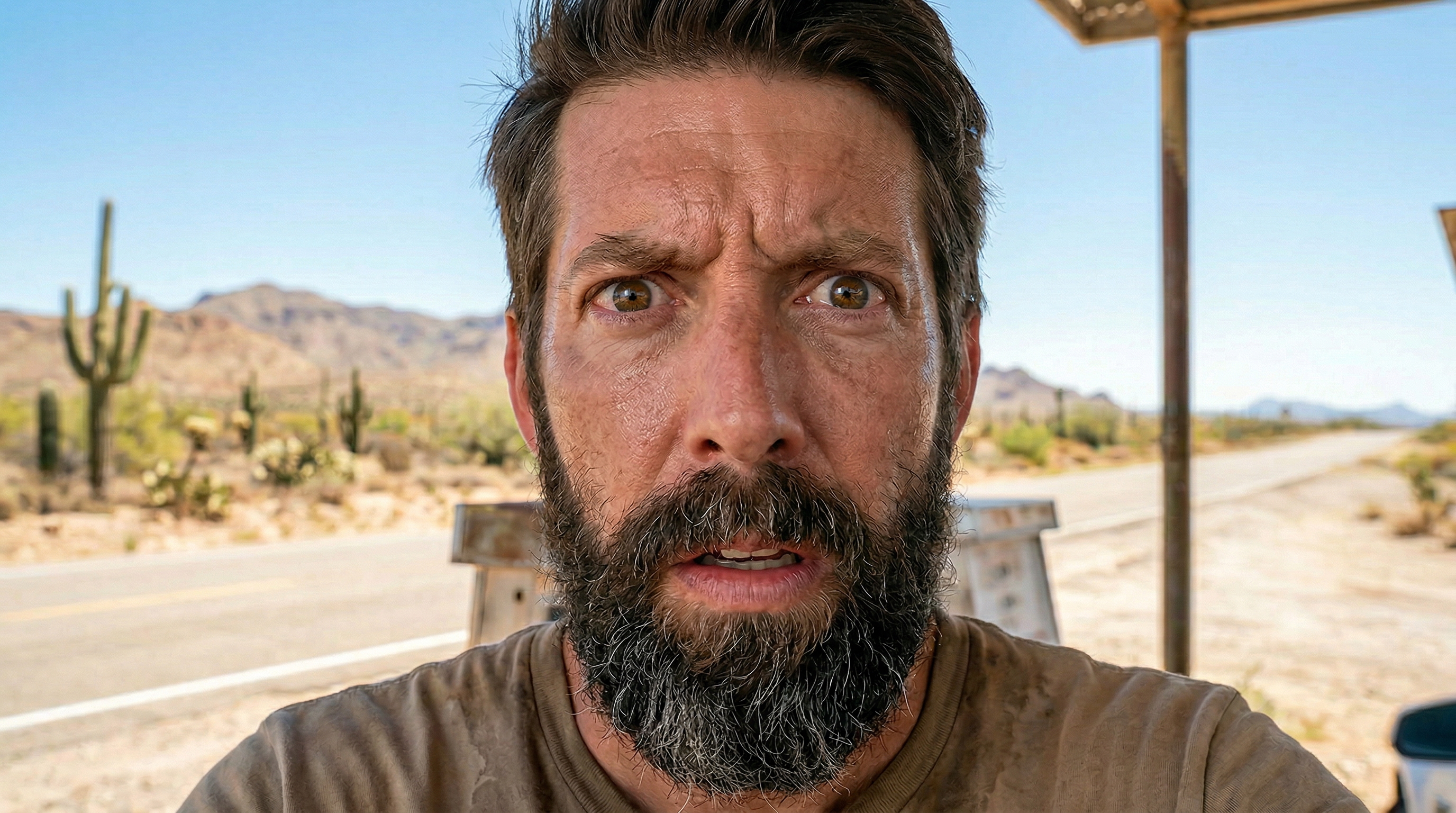
We've been making a series. And this is where it starts...
It's called Mastering the Camera and the idea is pretty simple. AI image models are trained on millions of photographs and films made by people who really knew what they were doing. Directors of photography. Cinematographers. People who understood that the camera isn't just a recording device, it's a creative instrument. And every decision they made, down to which glass they screwed onto the front of the camera, changed the feeling of the image.
That knowledge is baked into these models. You just have to know how to ask for it.
So we built this series to bridge that gap. Each module picks one element of the camera, one lever you can pull, and shows you exactly what happens when you use it intentionally in a workflow. Not theory. Actual outputs, actual prompts, actual node setups you can steal and run yourself.
Module 01 is lenses. And honestly? It's a good place to start, because it's one of the most immediately, visually dramatic things you can do.
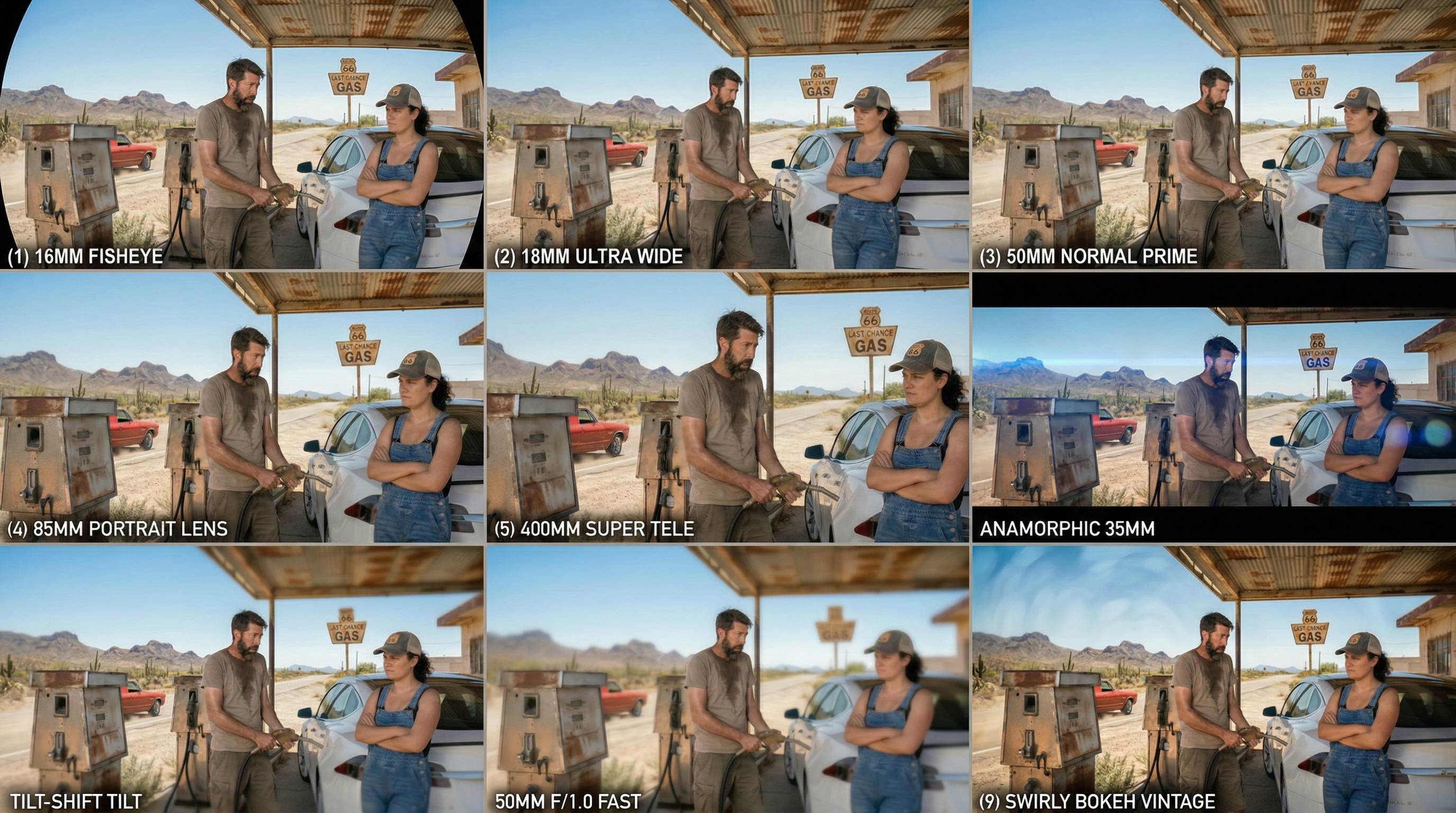
Here's the thing about lenses that people don't always clock: they don't just zoom. They change the physics of the image. An 18mm ultra-wide bends the world slightly, you get everything, everywhere, a little distorted at the edges, maximum environment. A 400mm telephoto collapses distance, blurs backgrounds into smooth nothing, turns a face into a portrait. A 50mm gives you something that just feels like eyes, natural, undistorted, present.
Same scene. Same characters. Completely different story being told.
When you name the lens in your prompt, the model knows what you mean. It's been trained on enough real-world photography to understand what a tilt-shift looks like, what a macro does to texture, what anamorphic means for aspect ratio and lens flare. Think of yourself as a director, and every word you choose to use in your prompts is the detail that will define your style.
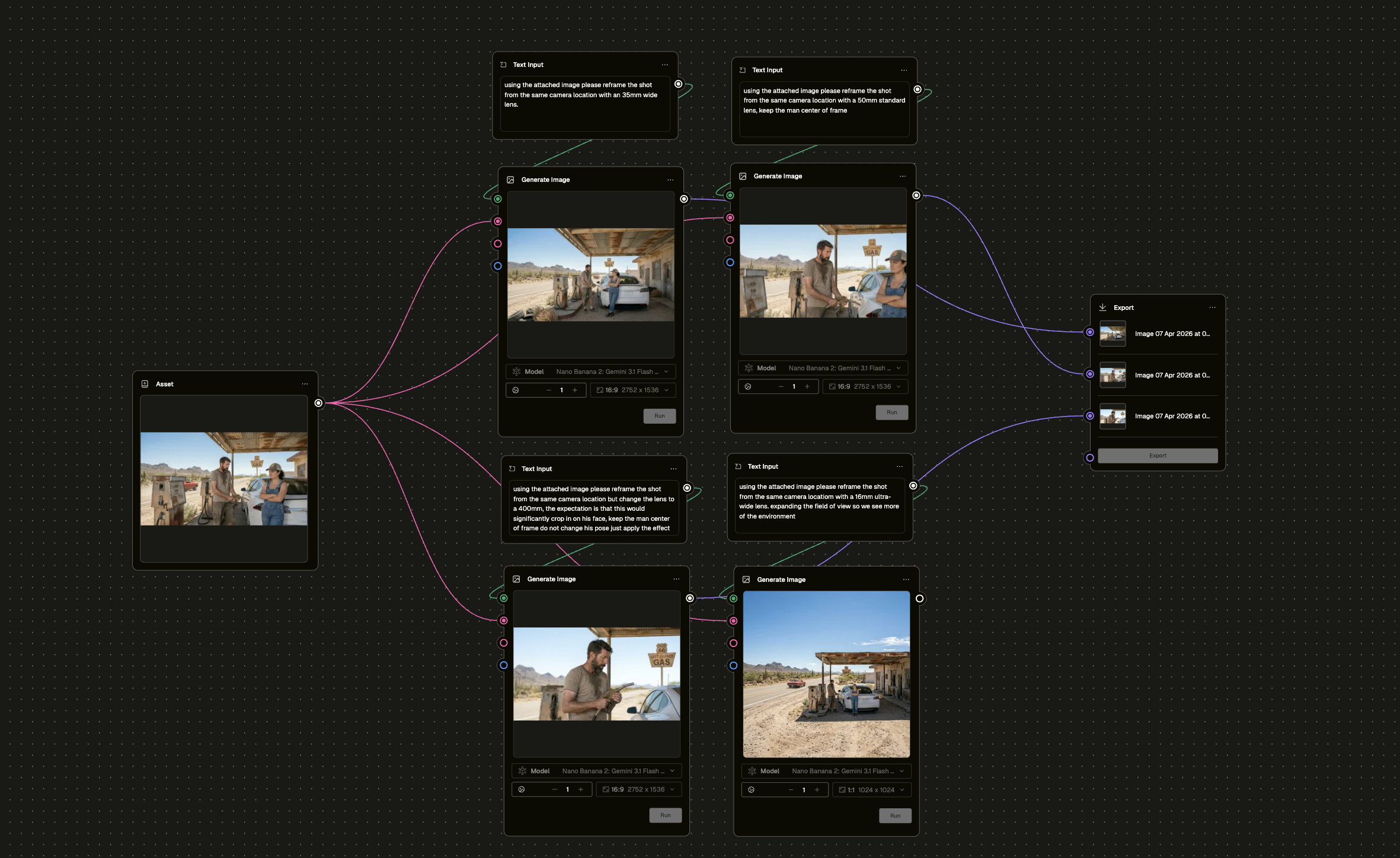
In this module, we built a workflow around a single base image, then branched it out across multiple lens prompts running in parallel. One scene. Multiple perspectives. All generated from a single asset node.
Check out the full workflow in the Module below to see the results. Then come back and build it yourself.
This is the first of many yet to come in this series. We'll be covering lighting, composition, camera settings, colour grading, and more. Each one a new lever. Each one something you can take straight into your Pencil workspace and use today.
We're just getting started.
Now it's your turn. Less guessing. More directing...
So...what are you waiting for?
Go make something worth looking at.