There's a moment in every actor's reel where you realise the performance was never really about the location. Strip away the jungle, the moon, the ship's deck, and the person underneath doesn't change. The voice doesn't change. The thing that made them worth watching in the first place doesn't change. What changes is everything around them.
That's the whole premise of this module, and it's worth saying plainly: this isn't a workflow for replacing a performer. It's a workflow built to protect one. One short selfie clip goes in, and six completely different worlds come out — a jungle, a cloudscape, a moon landing, a savannah, a rabbit hole, a pirate ship — and in every single one of them, the same real person is still unmistakably themselves. Same face. Same voice. Same performance. Not through editing. Through video-to-video generation with Google Gemini Omni Flash, built specifically to carry a real take somewhere new without losing what made it worth filming.
Here's how it's built.
Start with a real performance, not a prompt from scratch
Every scene in this workflow begins with the same ingredient: a short video of a person, delivering a piece to camera, uploaded as an Asset. That's the anchor, and it's the whole point. This isn't a synthetic performer. It's someone's actual delivery, actual timing, actual presence, and the job of everything downstream is to protect that, not paper over it.
Video-to-video isn't "describe a scene and hope." It's "here is a real take from a real person, now change the world it's happening in without touching them."
Write the transformation, then protect the talent
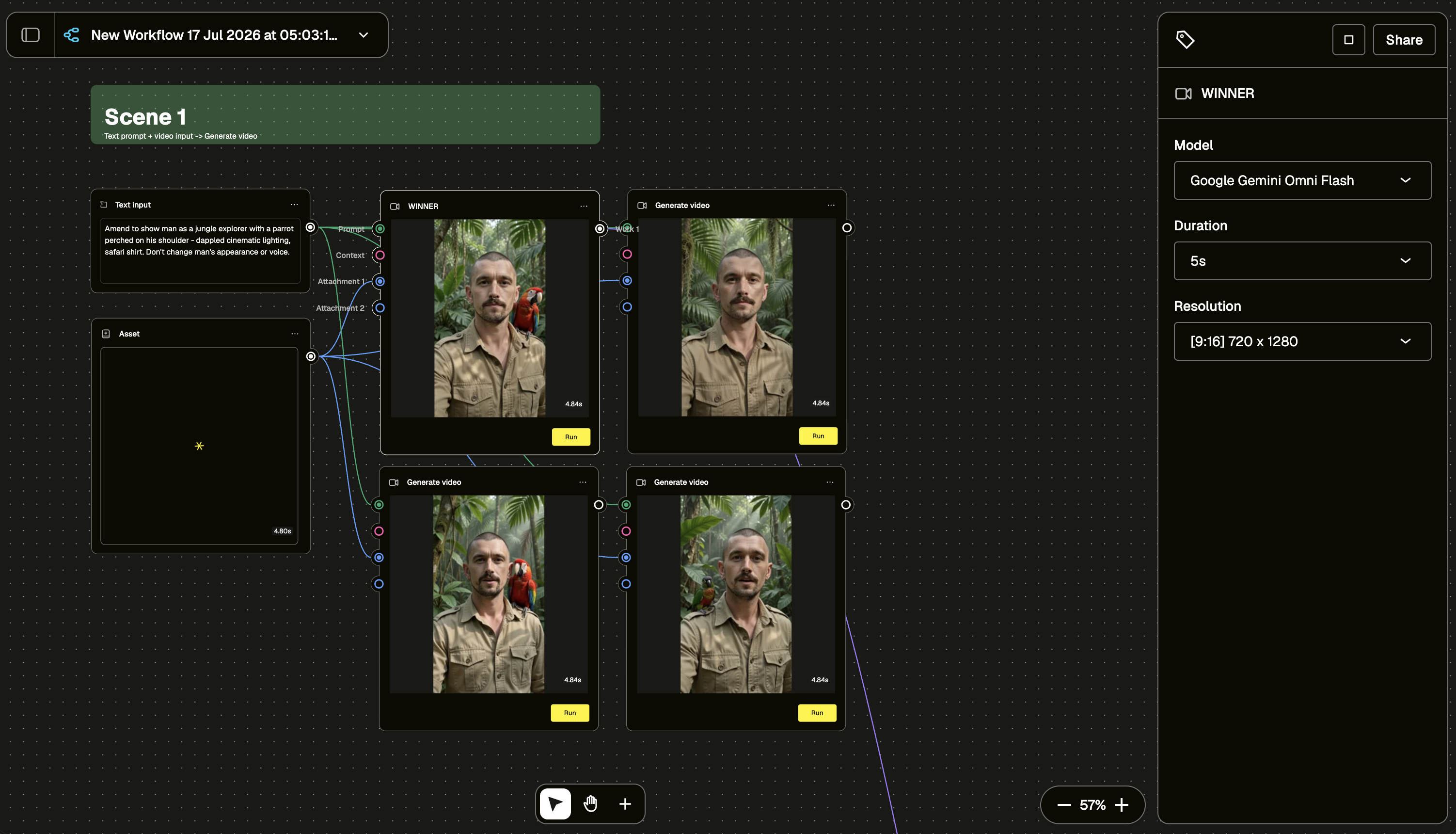
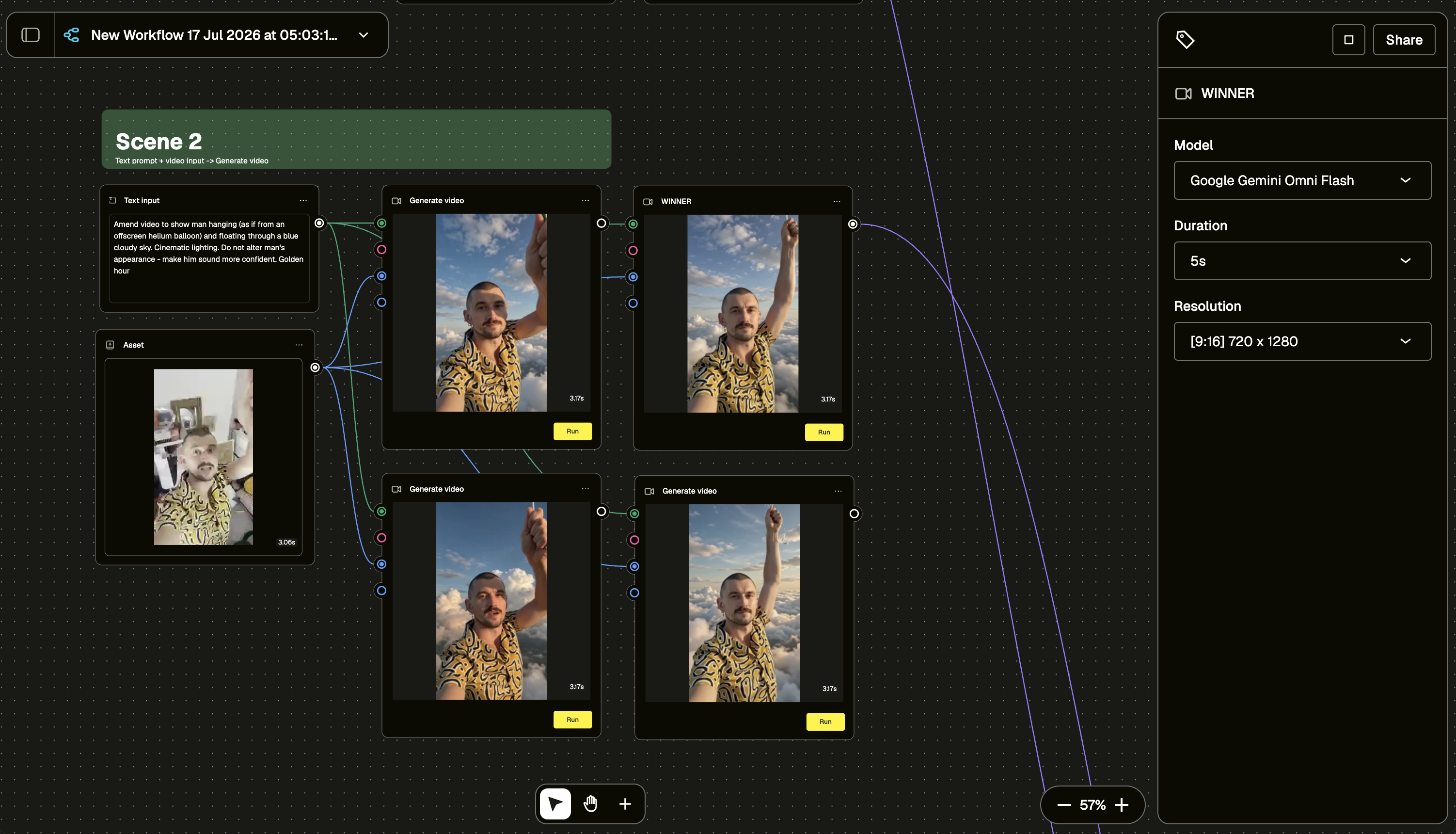
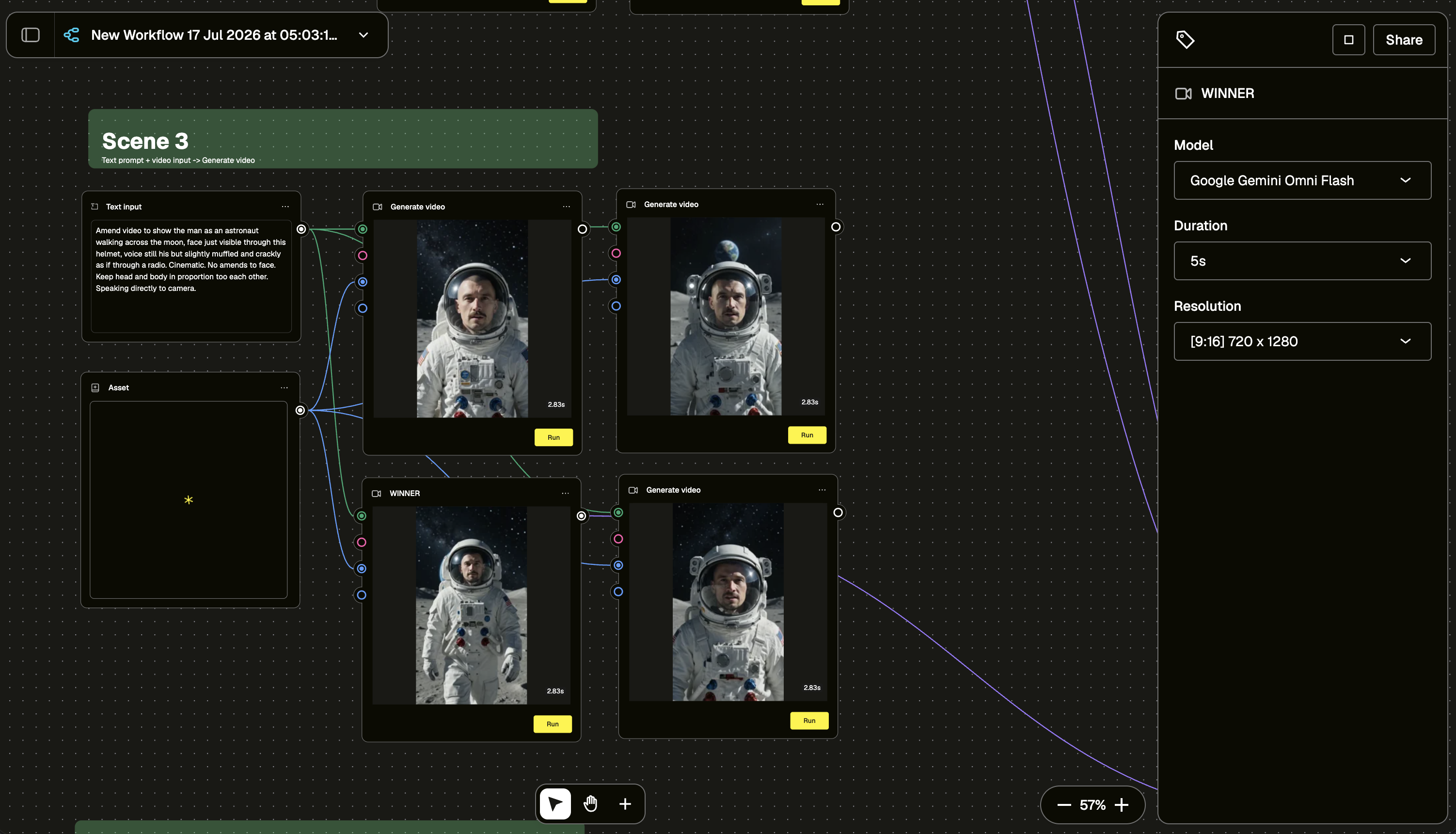
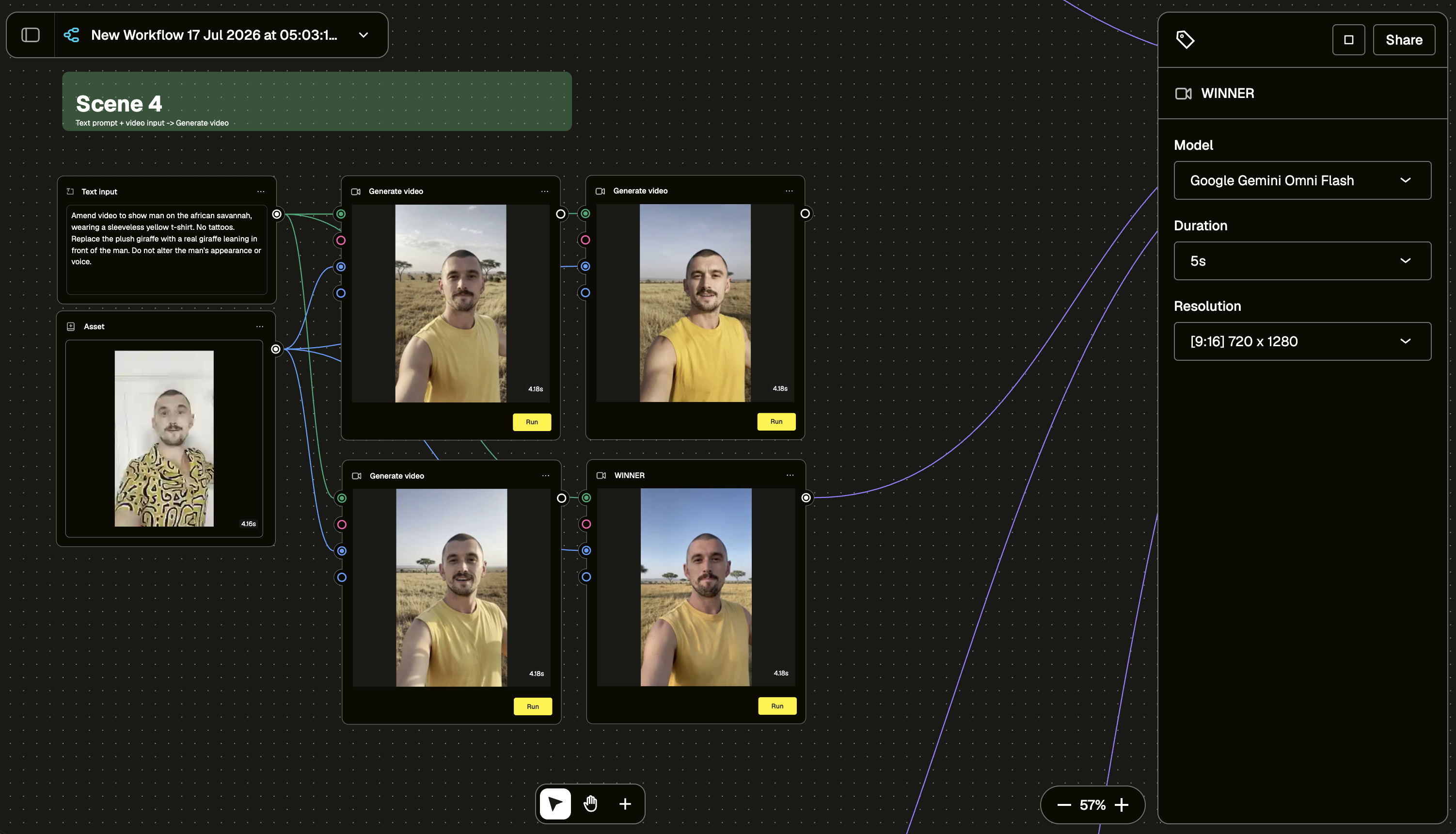
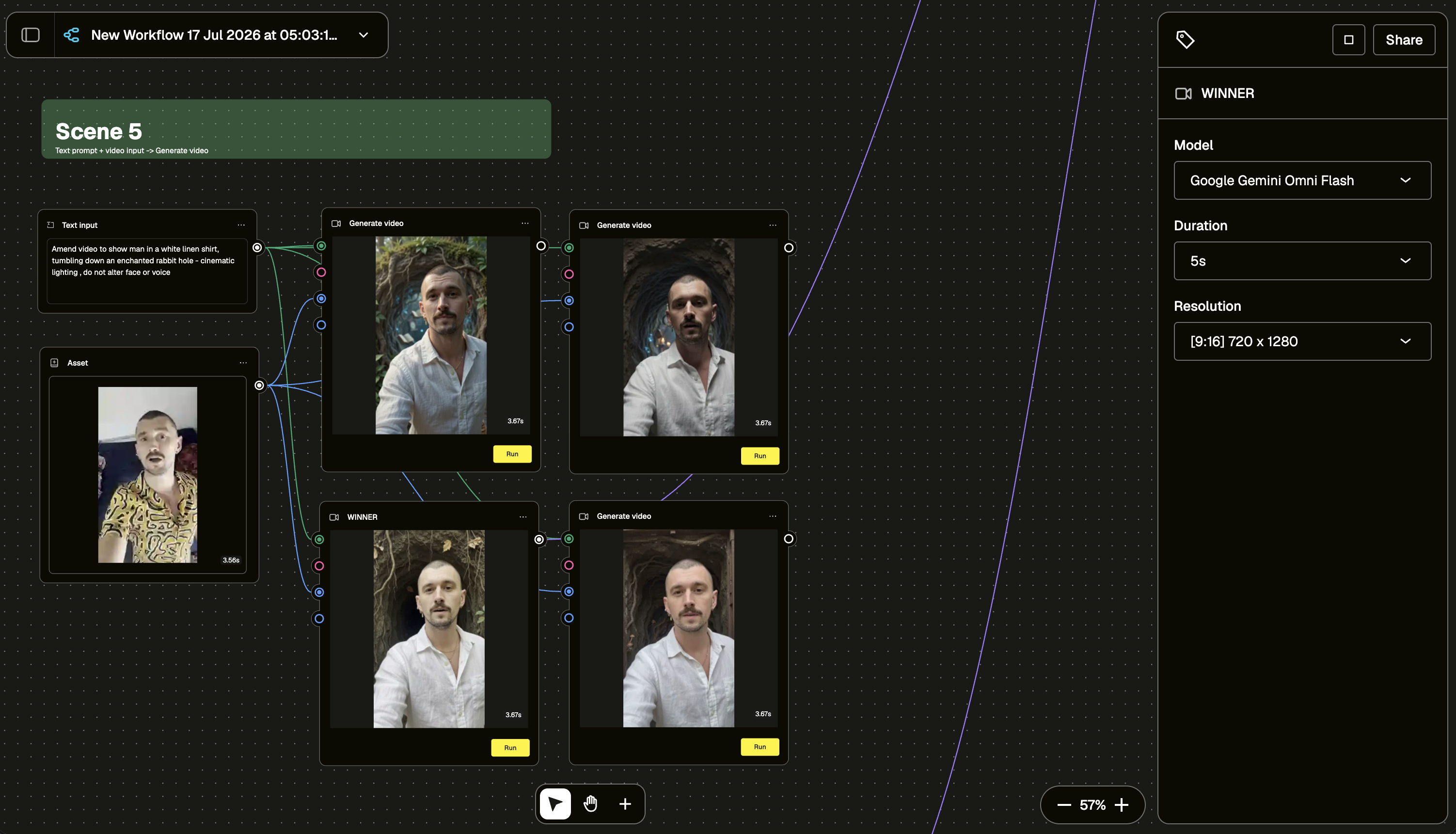
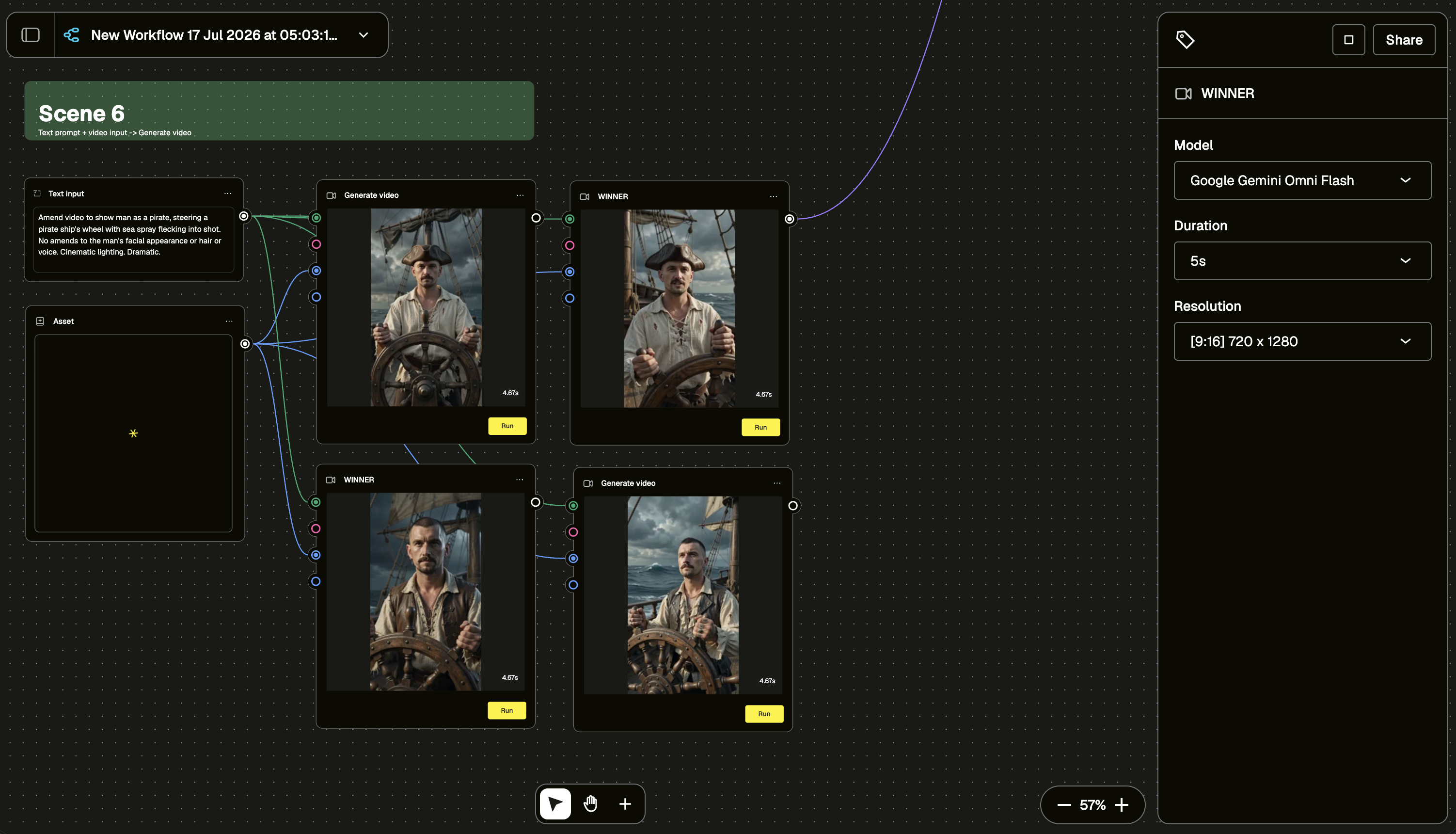
Each scene pairs that source video with a Text input node describing the new environment. But the more important half of every prompt in this workflow isn't the transformation, it's the line sitting right next to it, protecting the performer.
Look at the pattern across scenes:
- "Don't change man's appearance or voice."
- "Do not alter man's appearance - make him sound more confident."
- "No amends to face. Keep head and body in proportion to each other."
- "Replace the plush giraffe with a real giraffe... Do not alter the man's appearance or voice."
That's not boilerplate. That's the instruction doing the most important job in the whole prompt: drawing a hard line around the one thing that actually matters — the person — while everything else is free to move. The setting can change completely. The wardrobe, the lighting, the props, all of it. The talent doesn't. Leave that line out and you're gambling with someone's likeness. Leave it in and the same real person shows up in a jungle, on the moon, and at the helm of a ship, still recognisably, unmistakably them.
Set the model, duration, and frame once
On the right-hand panel, each scene runs the same configuration:
- Model: Google Gemini Omni Flash
- Resolution: [9:16] 720 x 1280
Locking these consistently across scenes is what makes the final stitch feel like one continuous piece of talent, not six separate experiments bolted together.
Generate in parallel, then pick a WINNER
This is the part worth slowing down on. Each scene doesn't run a single generation, it runs four in parallel off the same asset and prompt. You get four takes on the jungle explorer, four on the astronaut, four on the pirate — same input, same instruction, four different rolls of the dice.
One of those four gets renamed WINNER. That's not a technical setting, it's a judgment call: which take best preserves the performer while nailing the brief. The cleanest transformation, the most natural read on the face, the take where the parrot actually looks perched rather than pasted on. You're not trying to perfect a single generation, you're generating options and curating for the one where the real person still comes through clearest.
Across this build, that pattern repeats scene by scene:
- Scene 1 — jungle explorer, parrot on the shoulder, dappled cinematic light
- Scene 2 — floating through a cloudy sky as if lifted by an offscreen balloon, golden hour
- Scene 3 — astronaut walking the moon, voice muffled and crackling like it's coming through a radio
- Scene 4 — African savannah, sleeveless yellow tee, a real giraffe leaning in where a plush one used to be
- Scene 5 — tumbling down an enchanted rabbit hole in a white linen shirt
- Scene 6 — steering a pirate ship's wheel through sea spray
Six scenes, six settings, one consistent, unmistakably human performance running through all of them.
Stitch the winners, attach the audio, export
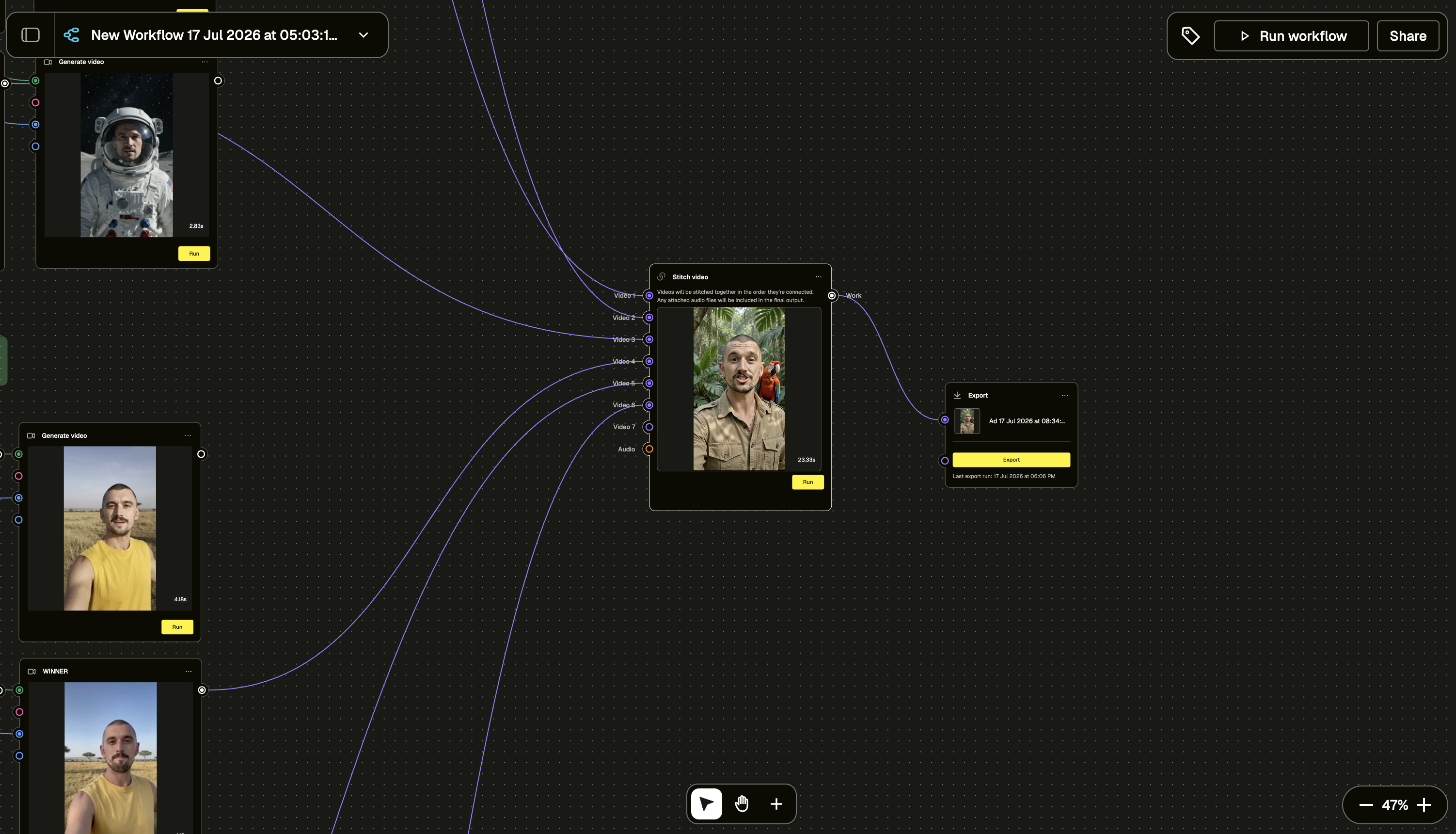
Once every scene has a WINNER selected, they all feed into a single Stitch video node — Video 1 through Video 6, wired in the order they should play (plus you can also add audio inputs if you have music or V/O that you want to overlay). The node stitches the winning clips together and folds in any attached audio automatically. From there it's one click through Export and you've got a finished vertical video, ready to ship (or take it to the Ad Editor and trim, tweak or add transitions as you need).
What this workflow is really demonstrating isn't the jungle, or the moon, or the pirate ship. It's that a real performance can travel through six completely different worlds and never stop being theirs. Get the guardrails right and video-to-video stops being a novelty effect and starts being what it should be: a tool for putting real talent in more places, not replacing them with something else. One performance, shot once, protected all the way through.
Go build your own take-into-transformation pipeline and see how far one performance can travel, without ever losing the person behind it.