Earlier this week I had to oversee two completely different briefs.
- A 30-second video ad for a dental care brand
- An Instagram Stories series for a beer brand
Making things more complicated was that two teams were involved.
I had to assign work, keep things moving and progressing, and review all work done - without getting lost in the details.
With the new release of Pencil’s Canvas, it helped us to successfully navigate both briefs through to completion.
Using AI to plan each Canvas
There are so many possibilities for how you organise a Canvas for each project. It also depends on how you work with your teams (ways of working).
So, I built a Canvas Architect Agent to help structure and visualise the project with rough thoughts on how I would assign and build around each brief’s deliverables and objectives.
You can add the Canvas Architect Agent to your workspace with this ID: 82472034-2afb-45ca-872d-a8489db68893.
For both projects, I gave the agent:
- what the Canvas needed to do
The last point was important because each project has different priorities.
For the dental care brand, that was speed, parallel execution, clear ownership
For the beer brand, that was feedback loops and quality control.
With these key ingredients, the agent did 90% of the work by giving me a working structure. Then I built the live board around it.
Using the Canvas Architect Agent
Start by feeding with the basics: the brief, the deliverables, who is involved, and what the Canvas is for (Internal workflows? Client presentation?)
The agent will work out the best Canvas structure for the job based around how the team actually needs to work.
Work will be assigned to the team members based on their titles. For instance, Creative Directors will handle the broader vision and ideas, while Creators will be responsible for asset creation.
It also takes care of the finer details like suggesting colour coding for different project statuses, roles, or where collaboration happens.
Finally, it will provide a flow summary — explaining how the Canvas flows from start to end.
Take note: the agent is not there to make the assets. It is there to design a Canvas that is easier to use, easier to review, and easier to run.
Dental care brand — What it gave us
Task: 30-second video ad
Team: 1x Producer, 1x Creative Director, and 3x Creators
Workflow consideration: Statics first, approval, video generation, and video stitching
Example by Agent:
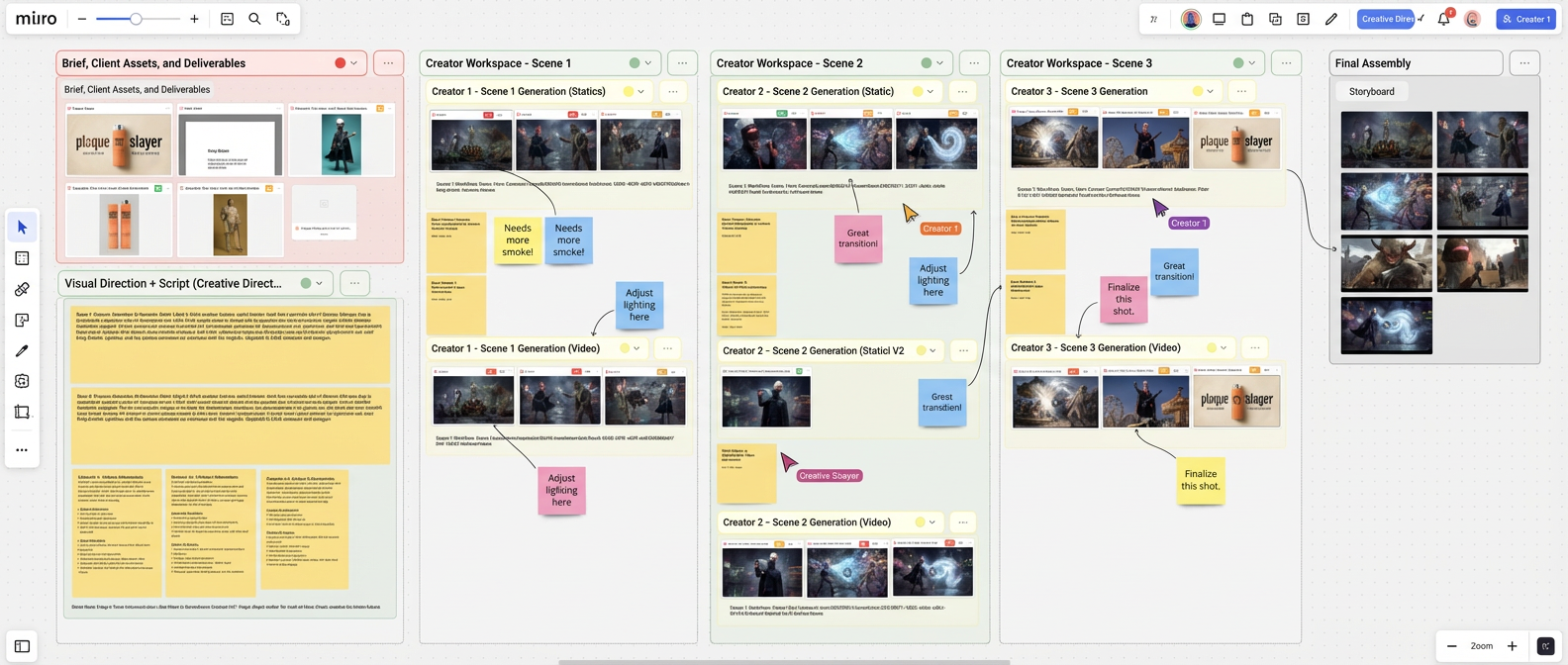
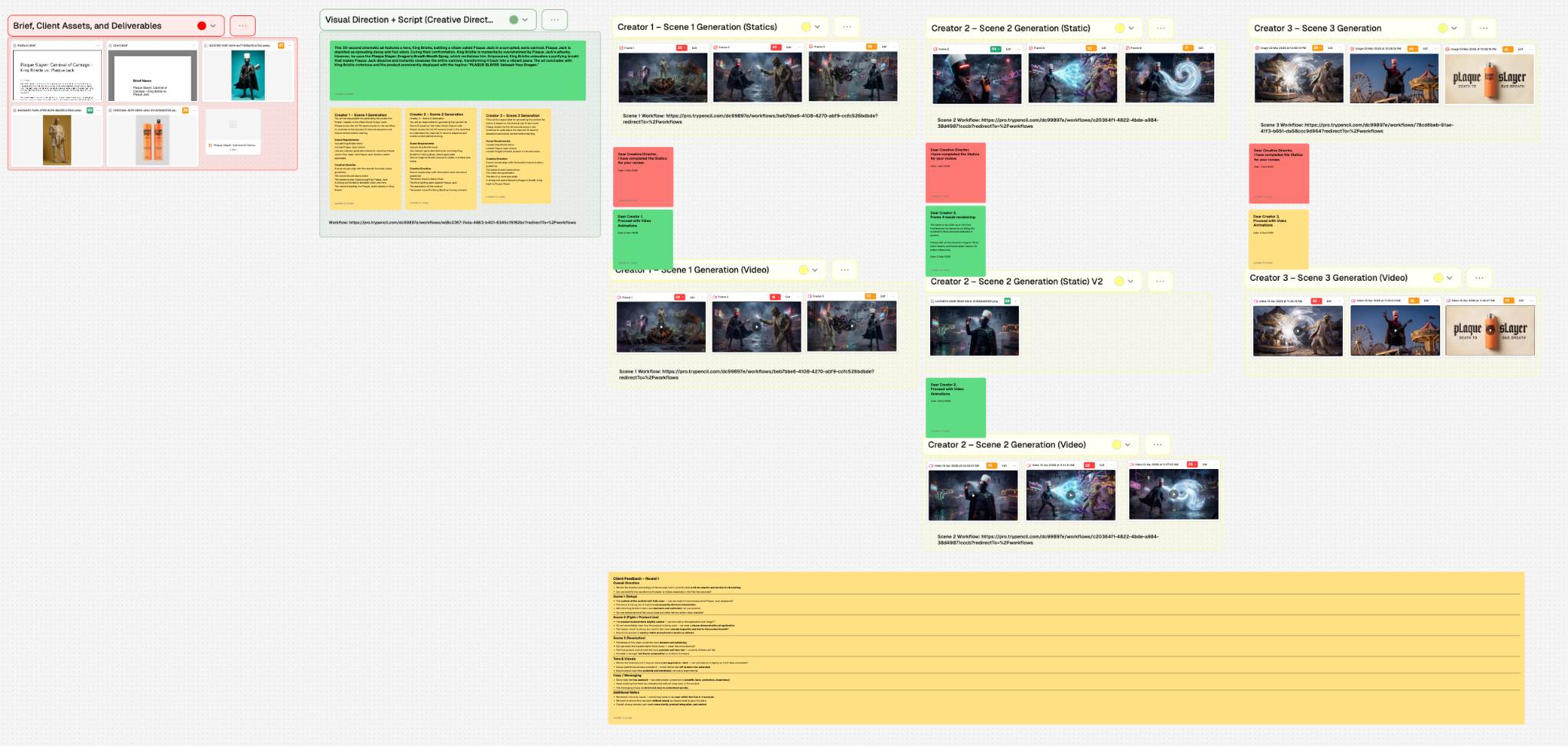
Actual canvas:
The agent gave us five sections:
- Project brief and client assets
- Visual Direction + Script
- Scene 1 workspace (Creator 1)
- Scene 2 workspace (Creator 2)
- Scene 3 workspace (Creator 3)
The first section held the source material: script, client assets, product shots, visual direction, and creative notes. That gave everyone the same starting point.
The second section provided the details: the script, what the 30-second ad would entail, and the division of tasks to the creators.
Three creator lanes were created to allow for scene ownership:
Creator 1: opening / confrontation
Creator 2: product use / turning point
Creator 3: payoff / end frame
Each lane followed the same sequence: statics, review, revisions, video.
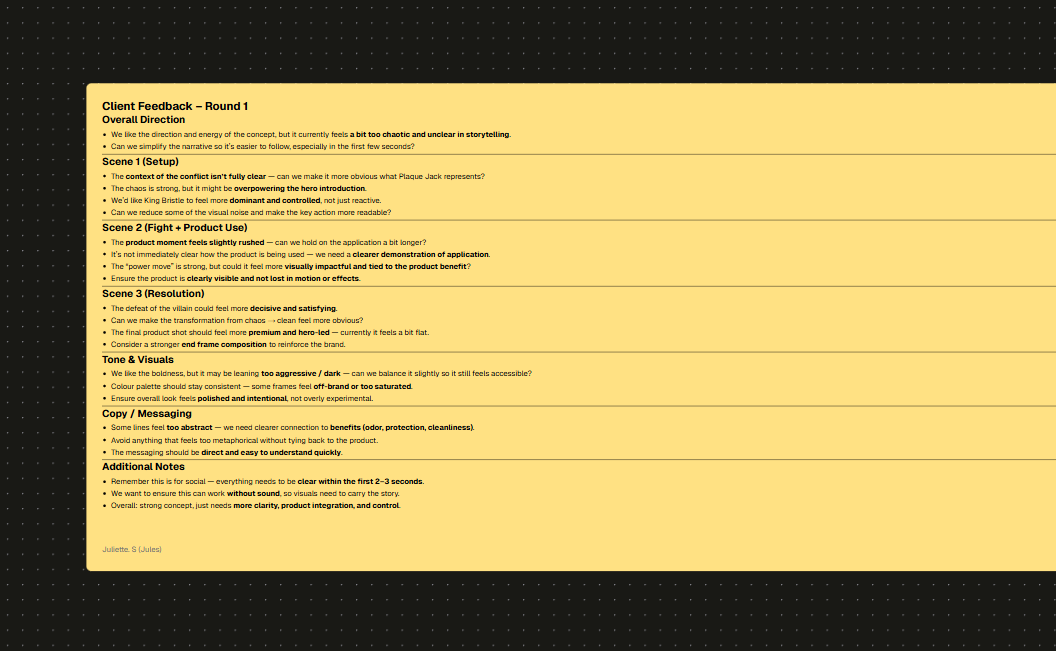
Feedback was centralised in a notes tab below the other sections. Creators could quickly reference the notes I provided and apply it to their individual scenes.
Again, this allowed us to operate with speed, parallel execution, and clear ownership.
Beer brand — What it gave us
Task: Instagram Stories series
Team: 1x Producer, 1x Creative Director, 1x Art Director, 1x Copywriter, 1x Creator
Workflow consideration: Multiple rounds of feedback and constant alignment
Example by Agent:
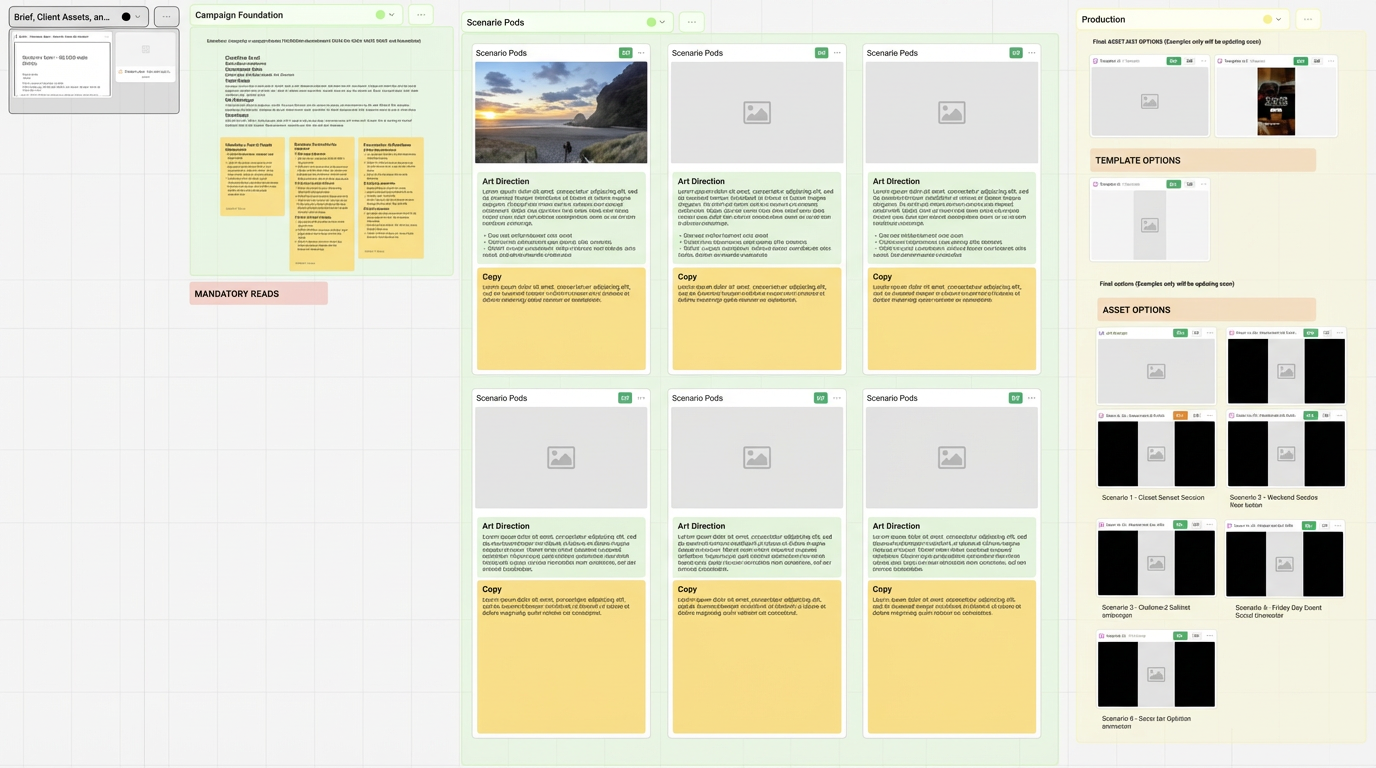
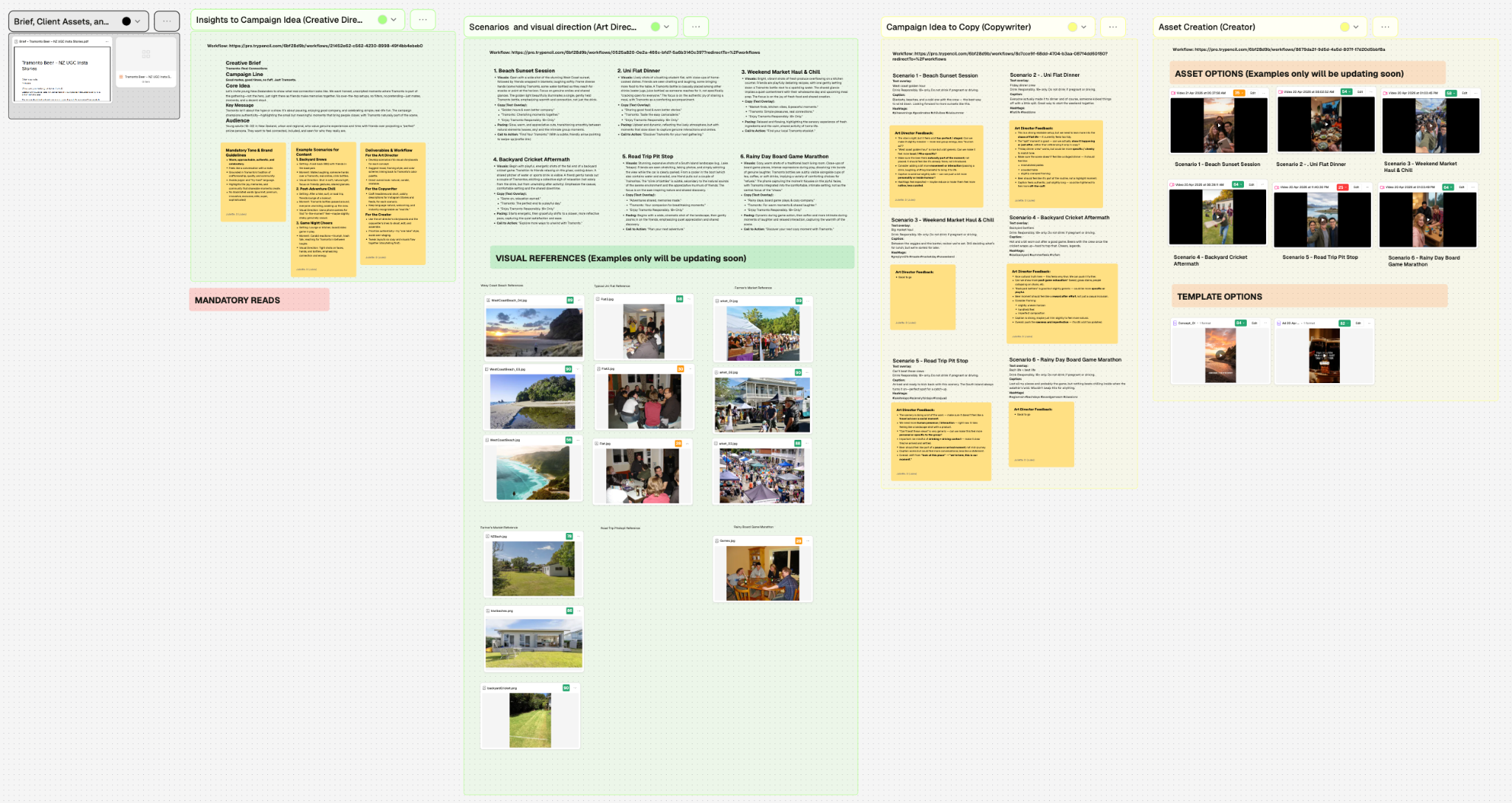
Actual canvas:
The beer brand needed a different board because the task was much more multi-faceted, involving a greater number of contributors and each of them providing their own inputs to build something together.
In this case, it was insights → campaign idea → visuals/scenario → copy → video stitching.
Every step mattered because revisions in one step affected everything that came after. The board had to show that chain clearly.
- As Creative Lead, I was responsible for setting the team up to start strong by pulling out the overarching insights and campaign idea.
- Using this foundation, our Art Director could begin generating the visual references for each scenario, giving life to the campaign idea and chosen concept.
- With visual references, the Copywriter could determine things like the appropriate tone, mood, and vocabulary for copy to accompany those scenarios.
- Finally, the Content Creator used all of the existing work to piece together the final videos.
The colour coding followed that logic.
- Black represented the core brief and notes
- Green represented approved notes from the CD and AD
- Yellow represented work in progress.
The resulting Canvas allowed me to review work at every stage before the next layer got added.
That kept the team aligned, made feedback easier to place, and caught problems early instead of after the videos were already stitched. It also gave us tighter quality control because every step stayed visible.
A quick reminder
There are many ways to use Canvas. These are just two of them. The point is not to copy these boards exactly.
It is to build the board around the job in front of you, so your team can move faster, stay aligned, and keep the work clear from brief to final output.
Try it out for yourself by adding the Canvas Architect Agent to your workspace: 82472034-2afb-45ca-872d-a8489db68893.